Resolving Negative Electronic Credit Ledger or Excess Reclaim Alerts
Practical Indian GST execution guide on Resolving Negative Electronic Credit Ledger or Excess Reclaim Alerts: learn checking Services → Ledgers → Electronic Credit Reversal and Re-claimed Statement (ECRRS) opening/closing balances, ensuring Table 4D(1) reclaims never exceed available Table 4B(2) reversal balance, and reversing genuinely excess claims cleanly via DRC-03 or Table 4B(1) using GSTR-3B Table 4A(5)/4B(2)/4D(1) Reconciliation + DRC-01C Reply while staying aligned with Rule 88D, Electronic Credit Reversal & Re-Claimed Statement (ECRRS) & Table 4B(2).

Key Statutory Details & Highlights
- Statutory Provision: Rule 88D, Electronic Credit Reversal & Re-Claimed Statement (ECRRS) & Table 4B(2)
- Primary Form / Mechanism: GSTR-3B Table 4A(5)/4B(2)/4D(1) Reconciliation + DRC-01C Reply
- Deadline / Statutory Window: Monitor ECRRS Closing Balance Every Month Before Submitting GSTR-3B
- Applicable Taxpayers: taxpayers encountering GSTN validation errors when reclaiming temporary ITC reversals or seeing negative credit ledger warnings
- Confirm applicability of Rule 88D, Electronic Credit Reversal & Re-Claimed Statement (ECRRS) & Table 4B(2) to your taxpayer profile before initiating portal action.
- Prepare and cross-check reconciled books and documentary proofs ahead of Monitor ECRRS Closing Balance Every Month Before Submitting GSTR-3B.
- Validate every schedule, tax-head split, and attachment on gst.gov.in prior to signing via EVC or Class-3 DSC.
- Verify preventive controls against putting temporary reversals (like 180-day unpaid vendor bills or goods-in-transit) into permanent Table 4B(1) instead of reclaimable Table 4B(2)—locking yourself out of future ECRRS reclaim and archive the signed ARN acknowledgement for 72 months under Section 36.
Visual Compliance Workflow & Documentation Reference


Detailed Statutory Guide
- • Statutory Basis Under Rule 88D, Electronic Credit Reversal & Re-Claimed Statement (ECRRS) & Table 4B(2)
- • Step-by-Step Execution & Portal Workflow
- • Accounting Alignment & Electronic Ledger Impact
- • Preventing Scrutiny & Resolving Resolving Negative Electronic Credit Ledger or Excess Reclaim Alerts Errors
Practical Indian GST execution guide on Resolving Negative Electronic Credit Ledger or Excess Reclaim Alerts: learn checking Services → Ledgers → Electronic Credit Reversal and Re-claimed Statement (ECRRS) opening/closing balances, ensuring Table 4D(1) reclaims never exceed available Table 4B(2) reversal balance, and reversing genuinely excess claims cleanly via DRC-03 or Table 4B(1) using GSTR-3B Table 4A(5)/4B(2)/4D(1) Reconciliation + DRC-01C Reply while staying aligned with Rule 88D, Electronic Credit Reversal & Re-Claimed Statement (ECRRS) & Table 4B(2).
Across all 28 Indian states and 8 Union Territories—including Telangana (State Code 36)—Resolving Negative Electronic Credit Ledger or Excess Reclaim Alerts is governed uniformly by Rule 88D, Electronic Credit Reversal & Re-Claimed Statement (ECRRS) & Table 4B(2). For taxpayers encountering GSTN validation errors when reclaiming temporary ITC reversals or seeing negative credit ledger warnings, the decisive operational focus is checking Services → Ledgers → Electronic Credit Reversal and Re-claimed Statement (ECRRS) opening/closing balances, ensuring Table 4D(1) reclaims never exceed available Table 4B(2) reversal balance, and reversing genuinely excess claims cleanly via DRC-03 or Table 4B(1).
Before initiating any portal submission for GSTR-3B Table 4A(5)/4B(2)/4D(1) Reconciliation + DRC-01C Reply, confirm PAN-level aggregate turnover, active GSTIN status, and whether any recent CBIC notification or circular modifies Monitor ECRRS Closing Balance Every Month Before Submitting GSTR-3B for your taxpayer category.
On gst.gov.in, taxpayers encountering GSTN validation errors when reclaiming temporary ITC reversals or seeing negative credit ledger warnings should complete pre-submission validation well ahead of Monitor ECRRS Closing Balance Every Month Before Submitting GSTR-3B. Review the auto-populated draft summary, compare every rupee against your internal general ledger, verify all annexures, and authenticate cleanly via EVC or registered Class-3 DSC.
Under Section 36 of the CGST Act, taxpayers encountering GSTN validation errors when reclaiming temporary ITC reversals or seeing negative credit ledger warnings must preserve all working papers, invoices, challans, legal replies, and ARN receipts relating to Resolving Negative Electronic Credit Ledger or Excess Reclaim Alerts for at least 72 months from the due date of the relevant annual return (or longer if adjudication/appeal is pending).
Most departmental disputes in this area stem directly from putting temporary reversals (like 180-day unpaid vendor bills or goods-in-transit) into permanent Table 4B(1) instead of reclaimable Table 4B(2)—locking yourself out of future ECRRS reclaim. Build a mandatory maker-checker sign-off before submitting on gst.gov.in, and if a genuine past error is spotted, evaluate whether GSTR-1A, next-period adjustment, or voluntary FORM GST DRC-03 resolves it with minimum cost.
A Mumbai agency’s GSTR-3B blocks submission because it entered ₹2.1L in Table 4D(1) when its ECRRS ledger held only ₹1.5L; tracing a ₹60,000 prior-year reversal reported wrongly in 4B(1) fixes the disclosure cleanly.
Frequently Asked Questions
- What is the difference between GSTR-3B Table 4B(1) and Table 4B(2) reversals?
- Table 4B(1) is for PERMANENT ineligible/blocked reversals (Rule 38, 42, 43, Section 17(5)); Table 4B(2) is for TEMPORARY reversals (Rule 37 180-day non-payment, Rule 37A, goods not yet received) that can be reclaimed later via Table 4D(1).
- How do I check my exact reclaimable ITC balance on the GST portal?
- Log into gst.gov.in → Services → Ledgers → Electronic Credit Reversal and Re-claimed Statement to view month-by-month additions, reclaims, and closing balance.
Authoritative Government References
- • Rule 88D, Electronic Credit Reversal & Re-Claimed Statement (ECRRS) & Table 4B(2): Primary statutory authority for Resolving Negative Electronic Credit Ledger or Excess Reclaim Alerts
- • Official GST Portal (GSTR-3B Table 4A(5)/4B(2)/4D(1) Reconciliation + DRC-01C Reply): gst.gov.in electronic filing, advisories & ARN tracking
- • CBIC Circulars & Notifications: Central Board of Indirect Taxes & Customs statutory updates
GST Portal Reference, News & Updates & Popular Help Topics
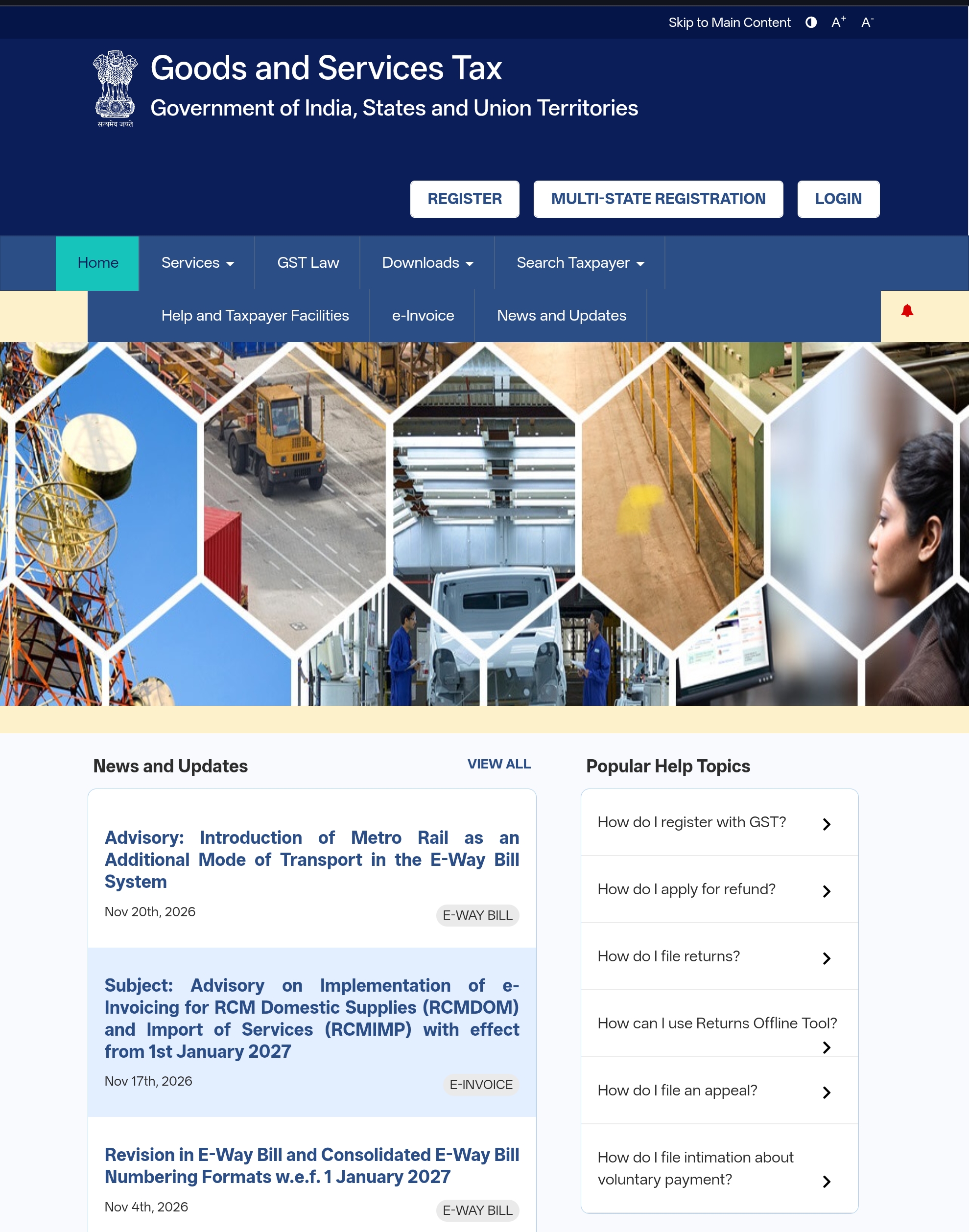
News and Updates
- Advisory: Introduction of Metro Rail as an Additional Mode of Transport in the E-Way Bill SystemNov 20, 2026 · E-Way Bill
- Subject: Advisory on Implementation of e-Invoicing for RCM Domestic Supplies (RCMDOM) and Import of Services (RCMIMP) with effect from 1st January 2027Nov 17, 2026 · e-Invoice
- Revision in E-Way Bill and Consolidated E-Way Bill Numbering Formats w.e.f. 1 January 2027Nov 4, 2026 · E-Way Bill