Fixing GST Portal emSigner & Class-3 DSC Signing Errors
Structured procedural reference for Fixing GST Portal emSigner & Class-3 DSC Signing Errors under GSTN Digital Signature Authentication Protocol (Rule 26): running GSTN emSigner strictly as Administrator on localhost port 1585, importing the self-signed https://127.0.0.1:1585 browser exception, ensuring the USB token’s PAN matches the exact Primary/Authorized Signatory PAN registered on gst.gov.in, and updating expired DSC under "Register/Update DSC", documentary checklists, and verified portal actions.

Key Statutory Details & Highlights
- Statutory Provision: GSTN Digital Signature Authentication Protocol (Rule 26)
- Primary Form / Mechanism: Class-3 USB Crypto Token + Latest GSTN emSigner Utility (Port 1585)
- Deadline / Statutory Window: Resolve Before Filing Deadline (Companies & LLPs Must Authenticate Strictly via DSC)
- Applicable Taxpayers: Private Limited companies, LLPs, and corporate authorized signatories encountering "Failed to establish connection to server" or "PAN mismatch" DSC errors
- Confirm applicability of GSTN Digital Signature Authentication Protocol (Rule 26) to your taxpayer profile before initiating portal action.
- Prepare and cross-check reconciled books and documentary proofs ahead of Resolve Before Filing Deadline (Companies & LLPs Must Authenticate Strictly via DSC).
- Validate every schedule, tax-head split, and attachment on gst.gov.in prior to signing via EVC or Class-3 DSC.
- Verify preventive controls against keeping MCA, Income Tax, and GST emSigner versions running simultaneously—they fight over localhost ports and crash Chrome/Edge websocket signing and archive the signed ARN acknowledgement for 72 months under Section 36.
Visual Compliance Workflow & Documentation Reference


Detailed Statutory Guide
- • Regulatory Mechanics of Fixing GST Portal emSigner & Class-3 DSC Signing Errors
- • Practical Filing & Documentary Walkthrough
- • Books-to-Portal Verification Controls
- • Departmental Objections & Defensive Safeguards
Structured procedural reference for Fixing GST Portal emSigner & Class-3 DSC Signing Errors under GSTN Digital Signature Authentication Protocol (Rule 26): running GSTN emSigner strictly as Administrator on localhost port 1585, importing the self-signed https://127.0.0.1:1585 browser exception, ensuring the USB token’s PAN matches the exact Primary/Authorized Signatory PAN registered on gst.gov.in, and updating expired DSC under "Register/Update DSC", documentary checklists, and verified portal actions.
Managing Fixing GST Portal emSigner & Class-3 DSC Signing Errors accurately requires connecting statutory text (GSTN Digital Signature Authentication Protocol (Rule 26)) with real-world GSTN portal validation rules. Designed for Private Limited companies, LLPs, and corporate authorized signatories encountering "Failed to establish connection to server" or "PAN mismatch" DSC errors, this guide breaks down running GSTN emSigner strictly as Administrator on localhost port 1585, importing the self-signed https://127.0.0.1:1585 browser exception, ensuring the USB token’s PAN matches the exact Primary/Authorized Signatory PAN registered on gst.gov.in, and updating expired DSC under "Register/Update DSC" and applicable deadlines (Resolve Before Filing Deadline (Companies & LLPs Must Authenticate Strictly via DSC)).
Note that GST Registration Help is an independent informational and compliance-support platform; all official statutory filings under Class-3 USB Crypto Token + Latest GSTN emSigner Utility (Port 1585) are executed strictly on the Government of India’s GST Common Portal (gst.gov.in) at ₹0 government application charge (statutory tax/interest/pre-deposit excepted).
To prevent portal rejection or partial credit loss, prepare a structured working paper tying source invoices, bank advices, or challans directly to each schedule required under GSTN Digital Signature Authentication Protocol (Rule 26). Never rely on rough estimates when Resolve Before Filing Deadline (Companies & LLPs Must Authenticate Strictly via DSC) approaches—every figure entered becomes a binding self-assessment record.
When managing Fixing GST Portal emSigner & Class-3 DSC Signing Errors, retain clear documentary corroboration—signed contracts, bank payment trails, shipping/transport records, and officer communications—indexed chronologically alongside the filed ARN so any future officer review closes swiftly.
To protect your GSTIN standing and cash flow under GSTN Digital Signature Authentication Protocol (Rule 26), institute strict preventive controls against keeping MCA, Income Tax, and GST emSigner versions running simultaneously—they fight over localhost ports and crash Chrome/Edge websocket signing. Whenever a high-value legal interpretation issue arises, document supporting CBIC circulars and judicial precedents contemporaneously.
A Chennai Pvt Ltd company stuck on GSTR-3B due-date evening with "Failed to connect to emSigner" closes conflicting MCA/Income Tax emSigner instances, restarts GSTN emSigner as Administrator, accepts the 127.0.0.1:1585 cert, and signs in 3 minutes.
Frequently Asked Questions
- Can a Private Limited Company or LLP file GSTR-3B using EVC OTP instead of Class-3 DSC?
- Yes—under Notification 32/2021-CT amending Rule 26(1), companies can verify GSTR-1 and GSTR-3B using EVC (OTP) as well as DSC, though DSC remains mandatory for certain applications/appeals.
- Why does the GST portal say "PAN does not match" when registering a brand-new DSC?
- Either the DSC was issued under the company PAN instead of the individual director’s personal PAN, or that director is not yet listed as an Authorized Signatory in your GST profile.
Authoritative Government References
- • GSTN Digital Signature Authentication Protocol (Rule 26): Primary statutory authority for Fixing GST Portal emSigner & Class-3 DSC Signing Errors
- • Official GST Portal (Class-3 USB Crypto Token + Latest GSTN emSigner Utility (Port 1585)): gst.gov.in electronic filing, advisories & ARN tracking
- • CBIC Circulars & Notifications: Central Board of Indirect Taxes & Customs statutory updates
GST Portal Reference, News & Updates & Popular Help Topics
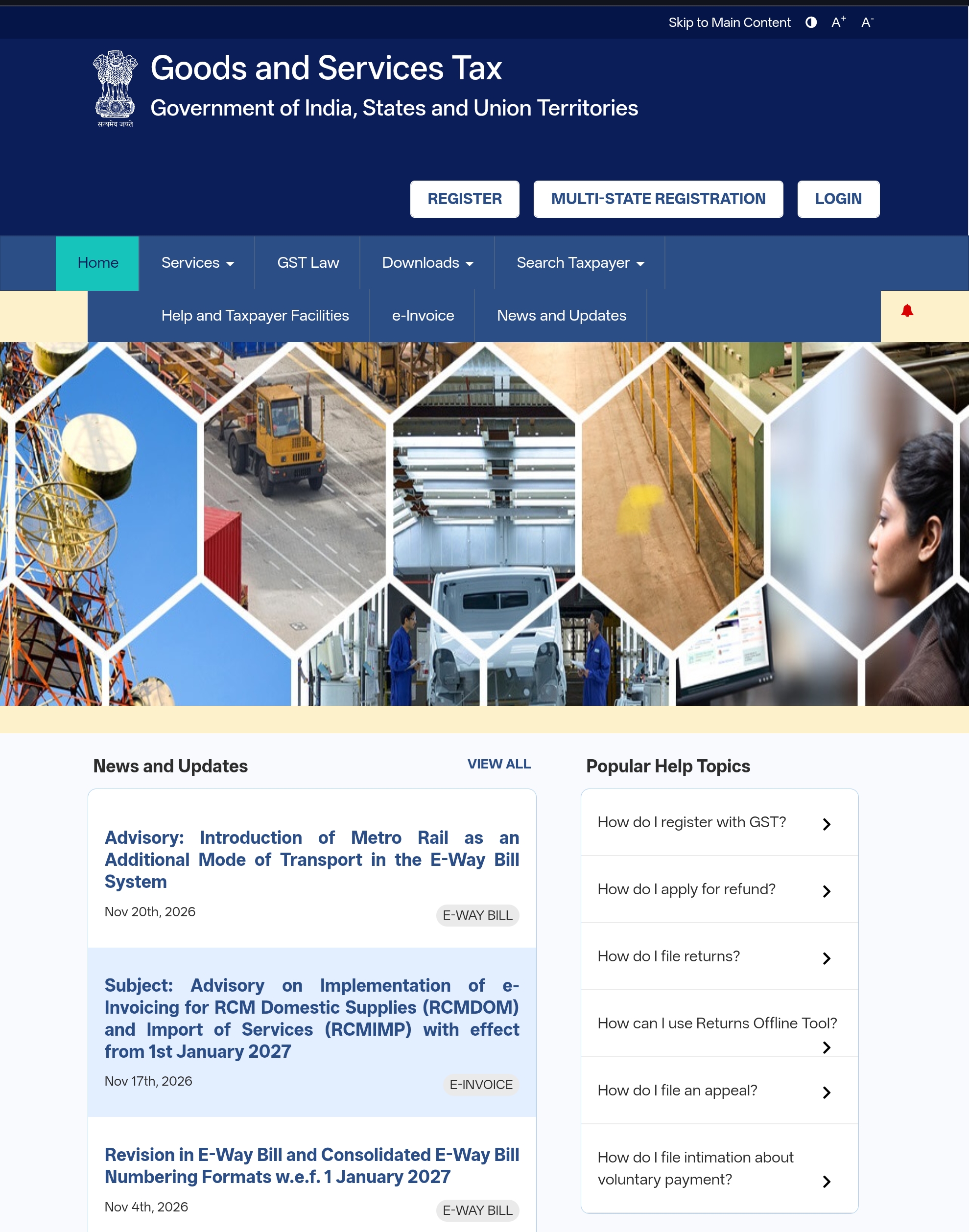
News and Updates
- Advisory: Introduction of Metro Rail as an Additional Mode of Transport in the E-Way Bill SystemNov 20, 2026 · E-Way Bill
- Subject: Advisory on Implementation of e-Invoicing for RCM Domestic Supplies (RCMDOM) and Import of Services (RCMIMP) with effect from 1st January 2027Nov 17, 2026 · e-Invoice
- Revision in E-Way Bill and Consolidated E-Way Bill Numbering Formats w.e.f. 1 January 2027Nov 4, 2026 · E-Way Bill