How to Download & Verify Your Official GST Registration Certificate (REG-06)
Clear statutory breakdown of How to Download & Verify Your Official GST Registration Certificate (REG-06) under Rule 10(1) & Rule 18 of CGST Rules, 2017, covering Mandatory physical display at PPOB/APOB under Rule 18 (Section 125 penalty up to ₹25,000 for non-display) and preventing forgetting to download an updated REG-06 after filing a core REG-14 address or APOB amendment.

Key Statutory Details & Highlights
- How Indian GST Law Governs How to Download & Verify Your Official GST Registration Certificate (REG-06): Navigating How to Download & Verify Your Official GST Registration Certificate (REG-06) requires reading Rule 10(1) & Rule 18 of CGST Rules, 2017 alongside the latest CBIC rate schedules and circulars. At its heart, this topic centres on downloading digitally signed 3-page FORM GST REG-06 from Services > User Services > View/Download Certificates and displaying it prominently at premises, which directly controls whether tax is charged under forward charge, reverse charge, zero-rating, or exemption.
- Verified Tax Slabs, Limits & Conditions: To see how Rule 10(1) & Rule 18 of CGST Rules, 2017 operates in day-to-day billing for How to Download & Verify Your Official GST Registration Certificate (REG-06), review this real-world calculation: After ARN approval, log into gst.gov.in, download REG-06 (Page 1: GSTIN/Address/Validity, Page 2: Additional Places of Business, Page 3: Promoters/Partners/Directors), frame Page 1 at reception, and print GSTIN on the exterior signboard. Maintaining consistent invoice narration and HSN/SAC tagging keeps monthly GSTR-1 summaries aligned with audited financials.
- GSTR-1, GSTR-3B & Recordkeeping Compliance: Proper return disclosure for How to Download & Verify Your Official GST Registration Certificate (REG-06) requires cross-checking outward registers against GSTR-2B / IMS inward credits and verifying whether any Section 17(5) blocked credit or Rule 42 common-credit reversal applies under Rule 10(1) & Rule 18 of CGST Rules, 2017.
- Frequent Taxpayer Errors to Avoid: Taxpayers handling How to Download & Verify Your Official GST Registration Certificate (REG-06) regularly run into preventable notices caused by forgetting to download an updated REG-06 after filing a core REG-14 address or APOB amendment. Conducting a quarterly self-review—and correcting genuine omissions early via GSTR-1A, subsequent-month GSTR-1, or voluntary DRC-03—eliminates punitive penalties.
Visual Compliance Workflow & Documentation Reference


Detailed Statutory Guide
- • How Indian GST Law Governs How to Download & Verify Your Official GST Registration Certificate (REG-06)
- • Verified Tax Slabs, Limits & Conditions
- • GSTR-1, GSTR-3B & Recordkeeping Compliance
- • Frequent Taxpayer Errors to Avoid
Clear statutory breakdown of How to Download & Verify Your Official GST Registration Certificate (REG-06) under Rule 10(1) & Rule 18 of CGST Rules, 2017, covering Mandatory physical display at PPOB/APOB under Rule 18 (Section 125 penalty up to ₹25,000 for non-display) and preventing forgetting to download an updated REG-06 after filing a core REG-14 address or APOB amendment.
Navigating How to Download & Verify Your Official GST Registration Certificate (REG-06) requires reading Rule 10(1) & Rule 18 of CGST Rules, 2017 alongside the latest CBIC rate schedules and circulars. At its heart, this topic centres on downloading digitally signed 3-page FORM GST REG-06 from Services > User Services > View/Download Certificates and displaying it prominently at premises, which directly controls whether tax is charged under forward charge, reverse charge, zero-rating, or exemption.
Critically, Mandatory physical display at PPOB/APOB under Rule 18 (Section 125 penalty up to ₹25,000 for non-display) sets the operative statutory boundary for How to Download & Verify Your Official GST Registration Certificate (REG-06). Whenever commercial contracts bundle multiple goods and services together, verify whether Section 8 composite or mixed supply rules alter the applicable rate.
To see how Rule 10(1) & Rule 18 of CGST Rules, 2017 operates in day-to-day billing for How to Download & Verify Your Official GST Registration Certificate (REG-06), review this real-world calculation: After ARN approval, log into gst.gov.in, download REG-06 (Page 1: GSTIN/Address/Validity, Page 2: Additional Places of Business, Page 3: Promoters/Partners/Directors), frame Page 1 at reception, and print GSTIN on the exterior signboard. Maintaining consistent invoice narration and HSN/SAC tagging keeps monthly GSTR-1 summaries aligned with audited financials.
Proper return disclosure for How to Download & Verify Your Official GST Registration Certificate (REG-06) requires cross-checking outward registers against GSTR-2B / IMS inward credits and verifying whether any Section 17(5) blocked credit or Rule 42 common-credit reversal applies under Rule 10(1) & Rule 18 of CGST Rules, 2017.
Taxpayers handling How to Download & Verify Your Official GST Registration Certificate (REG-06) regularly run into preventable notices caused by forgetting to download an updated REG-06 after filing a core REG-14 address or APOB amendment. Conducting a quarterly self-review—and correcting genuine omissions early via GSTR-1A, subsequent-month GSTR-1, or voluntary DRC-03—eliminates punitive penalties.
Frequently Asked Questions
- Does the GST department mail a physical paper GST Registration Certificate by post?
- No. FORM GST REG-06 is issued exclusively in digital PDF format on the gst.gov.in portal; taxpayers must print and display it at their business premises.
- Can anyone download my REG-06 certificate without my GST login?
- No. Only the taxpayer logged into gst.gov.in with valid credentials can download the complete REG-06 certificate PDF.
Authoritative Government References
- • Rule 10(1) & Rule 18 of CGST Rules, 2017: Primary statutory basis governing How to Download & Verify Your Official GST Registration Certificate (REG-06)
- • GST Common Portal (gst.gov.in): Official return filing, ARN tracking & advisory reference
- • CBIC Central Tax Notifications & Circulars: Binding GST Council rate & procedural clarifications
GST Portal Reference, News & Updates & Popular Help Topics
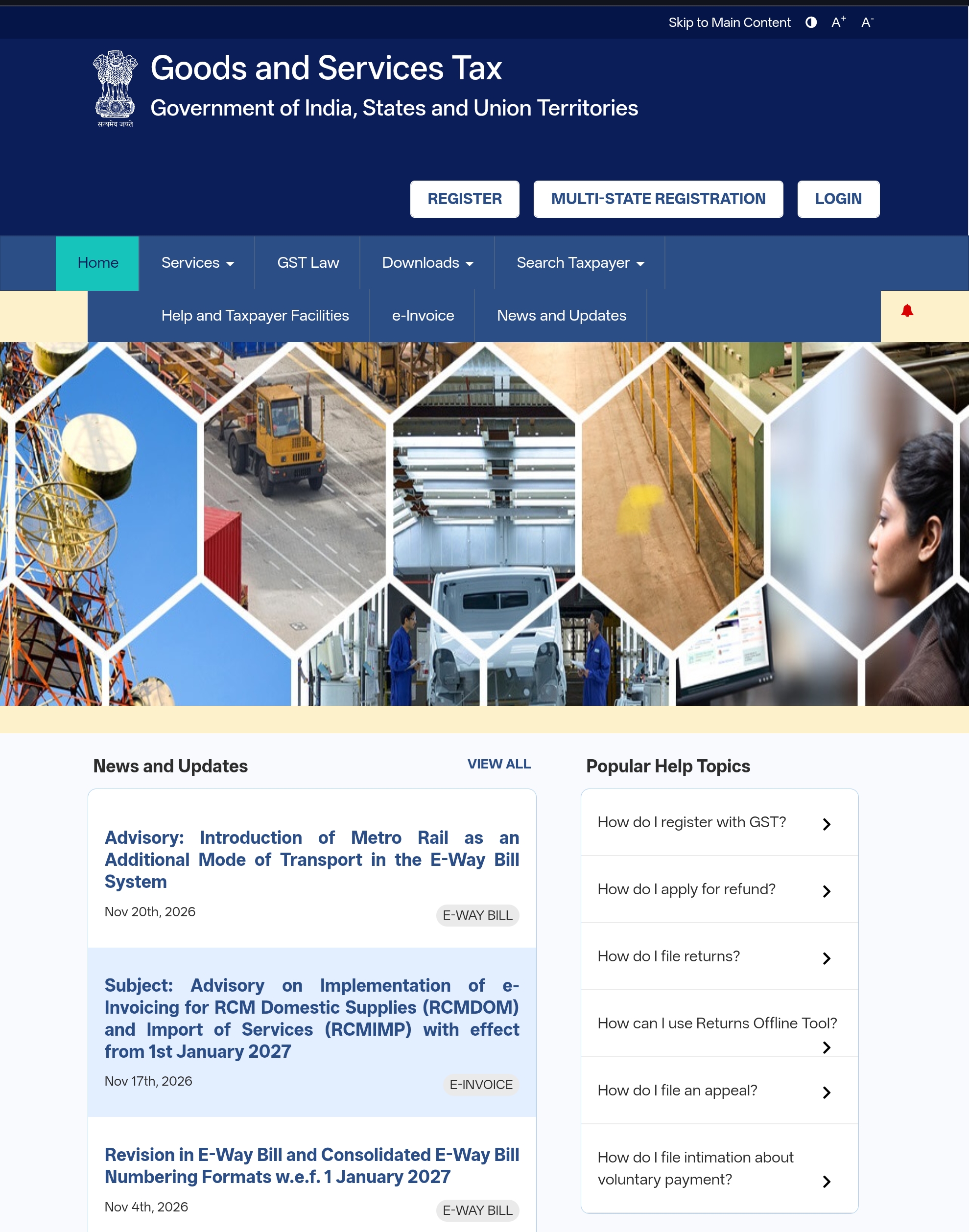
News and Updates
- Advisory: Introduction of Metro Rail as an Additional Mode of Transport in the E-Way Bill SystemNov 20, 2026 · E-Way Bill
- Subject: Advisory on Implementation of e-Invoicing for RCM Domestic Supplies (RCMDOM) and Import of Services (RCMIMP) with effect from 1st January 2027Nov 17, 2026 · e-Invoice
- Revision in E-Way Bill and Consolidated E-Way Bill Numbering Formats w.e.f. 1 January 2027Nov 4, 2026 · E-Way Bill